JC WooCommerce Cart and Checkout Donation
Author: James Collings
Version: 0.2.4.5
Updated: 28/12/2014
About
JC WooCommerce checkout and cart donation adds a donation form to the WooCommerce checkout and cart pages where the customer can round their order up or speicify a donation amount.
Features
- Add Checkout and Cart donation forms
- Round donation up to nearest x amount
- Overwrite plugin text from within the plugin settings section
- Add custom text/section to customer order email
- Compatable with WooCommerce coupons, donation amount doesnt interfere with minimum/maximum spend
Installation
- Download a copy of the plugin
- Copy the jc-woocommerce-donation folder to your wordpress plugins directory, usually /wp-content/plugins/
- Goto plugins page within Wordpress and activate JC WooCommerce Donation plugin
- Configuration page can be found under WooCommerce > Settings > Checkout Donation
Documentation
General Settings
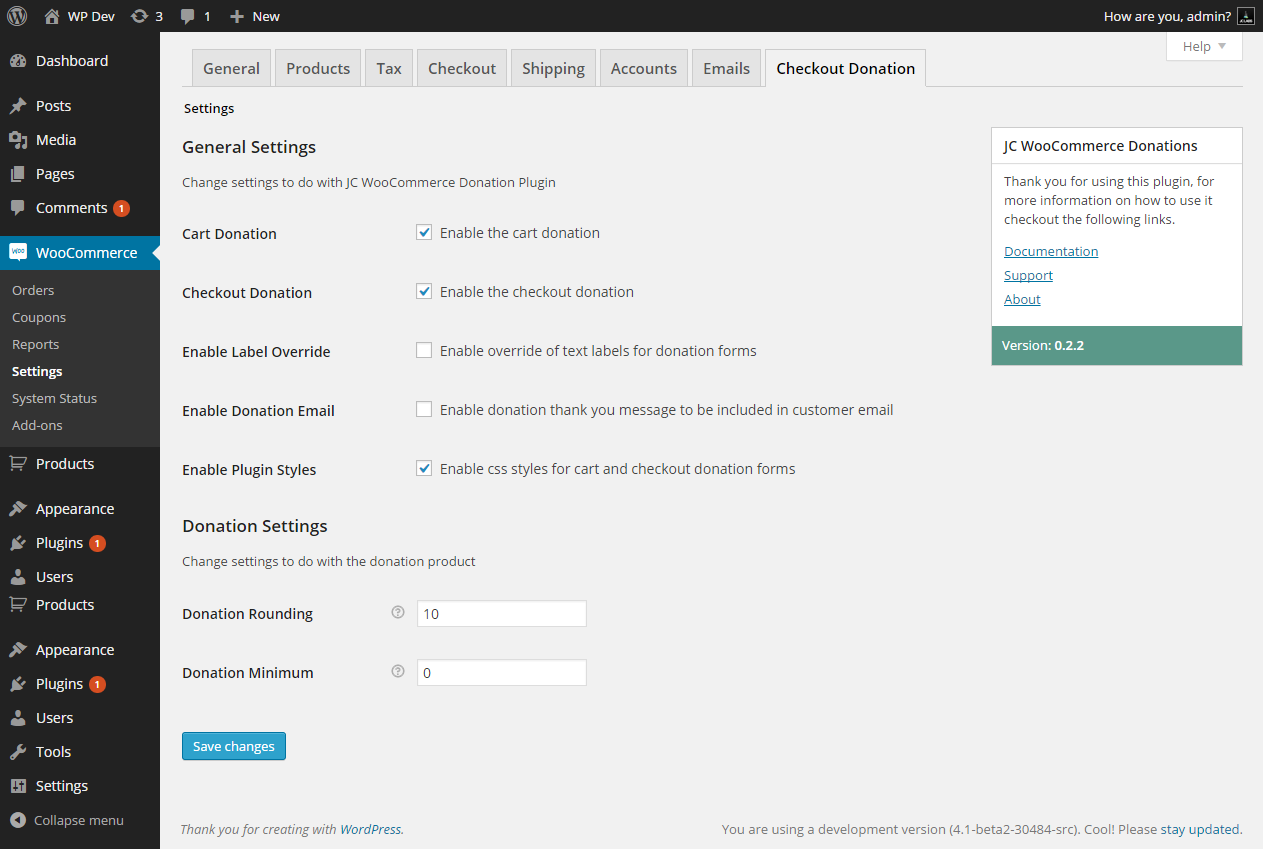
Cart Donation
if checked this will enable and display the donation form on your cart page
Checkout Donation
if checked this will enable and display the donation form on your checkout page
Enable Label Override
if checked this will add a new settings tab called Labels , where you can modify all the text on the cart and checkout donation forms
Enable Donation Email
if checked this will add a new settings tab called Email, where you can add a block of text/html to the customer order email to thank them for the donation.
Enable Plugin Styles
if checked the default plugin css styles will be loaded
Donation Rounding
This option will allow you to set what to round the default donation amount up to the nearest, for example if you set this to 10, and their basket contains £25 then the donation box will start with a value of £5
Donation Minimum
To set the minimum value of donation to populate the donation input when rounding up, if the donation minimum is not met it will be added onto the rounded amount.
Label Settings
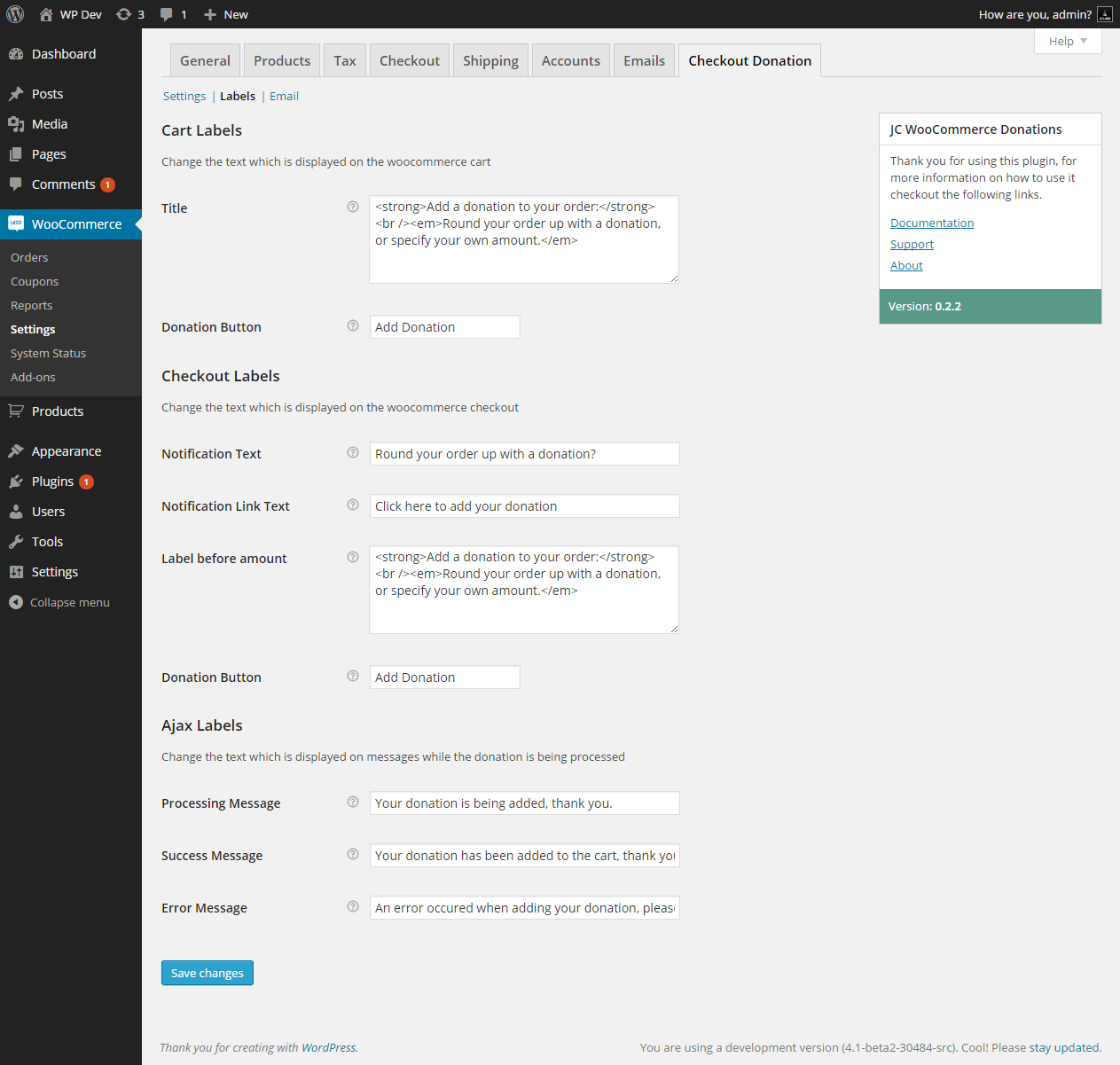
Label Settings allows you to change all the text displayed on the cart and checkout donation forms.
Cart Labels
Modify labels on the cart donation form
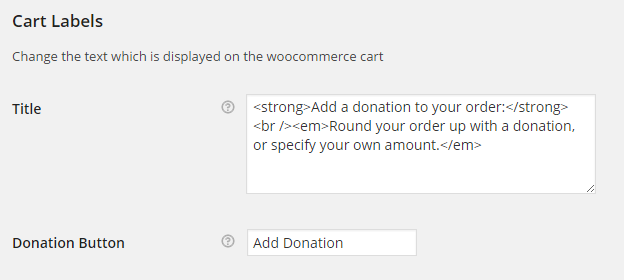
Title
Change the text which is displayed above the donation form
Donation Button
Change the text which is displayed on the donation button
Checkout Labels
Modify labels on the checkout donation form
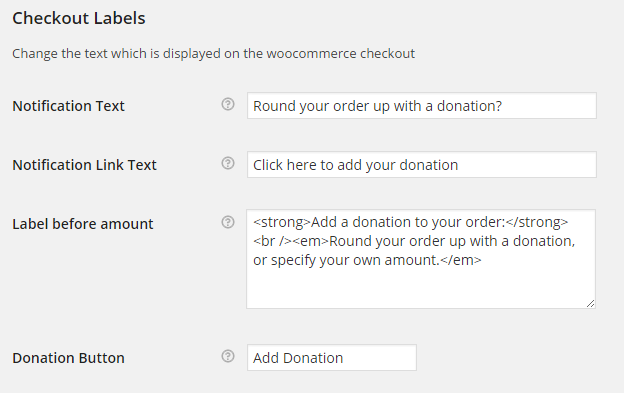
Notification Text
Change the text which is displayed before the donation link
Notification Link Text
Change the text of the donation link
Label before amount
Change the text that is shown before the donation input
Donation Button
Change the text which is displayed on the donation button
Ajax Labels
Modify message labels from the cart and checkout Ajax Responses
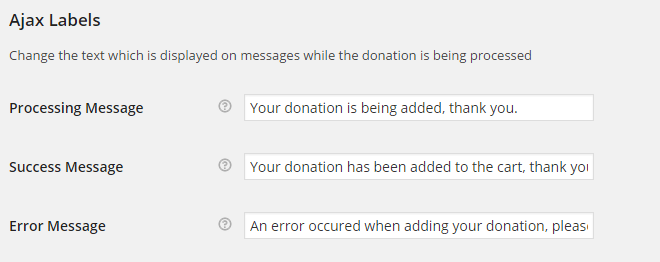
Processing Message
Change the text that is displayed while the donation is being added
Success Message
Change the text that is displayed on success of a donation being added
Error Message
Change the text that is displayed on failure of donation being added
Email Settings
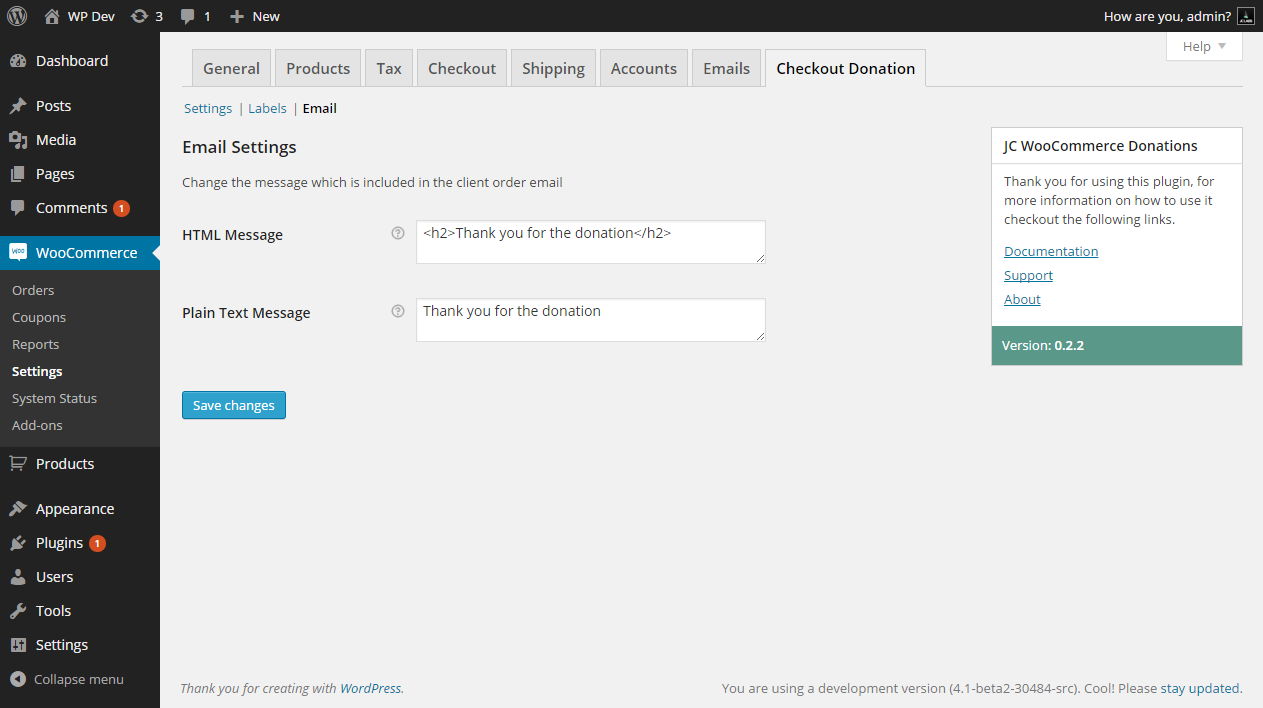
Modify the message which is included in the customers new order email
html message
HTML version of the thank you message
Plain text message
Plain text version of the thank you message
FAQ's
Can i modify the output on the checkout or cart donation form?
You can copy the templates folder from within jc-woocommerce-donation/templates/* to your themes folder yourtheme/jc-woocommerce-donation/* , if you only want to change the text that is output, you can do that by going to WooCommerce > Settings > Checkout Donation and enable labels
Does this plugin work with WPML?
Short answer, yes! Once you have WPML and WooCommerce multilingual, within WPML create a translated of the donation product for each language.
Changelog
0.2
- Add compatability for woocommerce coupons
- Add messages to cart with label overrides
- Enable/Disable plugin styles
- Cart and Checkout css
- Added WPML Support
0.1
- Plugin released